3 Models Available
How to Animate Still Images with AI
Bring any photo or illustration to life. Upload an image and let AI generate natural motion, camera movements, and cinematic effects.
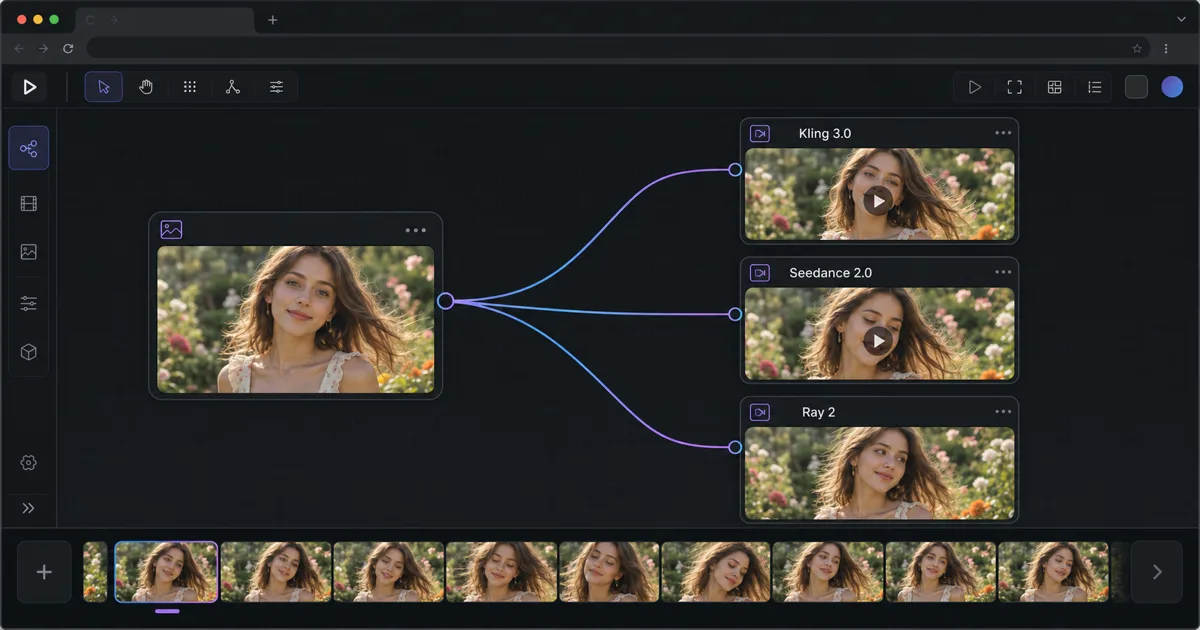
How to animate a still image or photo with AI
To animate a still image with AI, upload your photo to an image-to-video model, write a short prompt describing only the motion you want (not the scene), and generate a short clip — the AI invents natural movement, camera moves, and lighting changes from your single frame. On Martini you do this on a browser-based canvas with no GPU and no install: drop your image into an Image node, wire it into one or more Video nodes, and run it across multiple frontier video models at once.
As of 2026, the fastest path from a still photo to a moving clip is image-to-video (often shortened to img2vid). Unlike text-to-video — which generates a clip from words alone — image-to-video starts from your exact picture, so the subject, colors, and composition stay locked while the AI adds movement on top. That is what makes it the right tool for "make this photo move": your product, your character, or your artwork is preserved frame-to-frame instead of being re-imagined.
The five-step procedure is the same on every model: (1) choose a source image with implied motion (a person mid-stride, wind-blown hair, a wave about to crash animate far better than a stiff, symmetrical headshot); (2) pick a video model suited to your subject (see the model picker below); (3) write a motion-only prompt using verbs and camera directions — never re-describe what is already in the frame; (4) set duration and aspect ratio (most models render 5-second clips at 16:9 or 9:16); (5) generate, review every take in the version tray, and export the one you like — including straight to an NLE timeline.
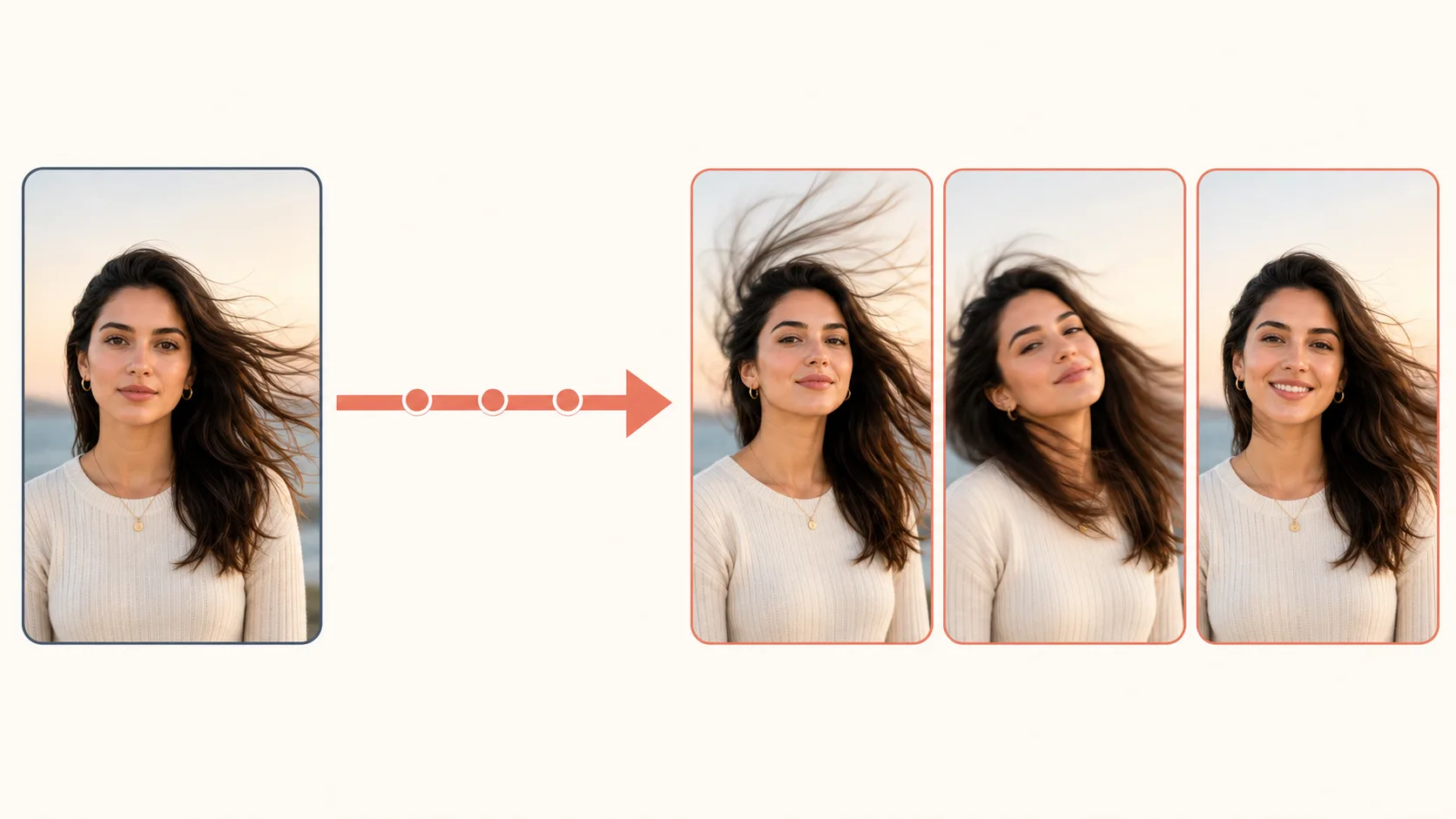
Pick the right model for your image
The single biggest quality decision is which model animates your image. The three image-to-video models on this page each have a clear sweet spot, and because Martini lets you fan one source image out to all of them at once, you can run the same photo through every model in parallel and keep the best take rather than guessing in advance.
Choose Kling 3.0 when there is a human face in the frame. Its Pro tier produces the most natural facial micro-expressions, blinking rhythm, and lip movement of any model here — the difference between "obviously AI" and "wait, is that real?" Use the Standard tier for landscapes and objects where faces are not involved; the perceived quality is identical and it renders faster.
Choose Seedance 2.0 (ByteDance) for high-energy action, dramatic motion, and illustration or anime stills. It is the specialist when you want movement with momentum — a character lunging, fabric whipping, a stylized scene springing into motion — rather than the subtle, lifelike restraint Kling favors.
Choose Luma Ray 2 when the camera is the star. Ray 2 delivers the most cinematic camera physics — slow dollies, gentle orbits, and natural parallax that turns a flat landscape photo into a clip with real depth, finished with a filmic grain. If your goal is a moving establishing shot from a still scene, start here.
A practical workflow: draft in Kling 3.0 Standard to test your motion direction quickly, then finalize human subjects in Kling 3.0 Pro, switch to Ray 2 for landscapes that need camera movement, or reach for Seedance 2.0 when the shot calls for bold action. Every model here renders 5-second clips, so plan longer sequences as several shots and assemble them on the timeline.
Write a motion-only prompt that keeps your image intact
The most common — and most expensive — mistake in animating a still image is re-describing what is already visible. The model already sees every pixel of your photo. Your prompt should be 100% motion direction and 0% scene description. Write "She blinks, tilts her head left, and a warm smile forms; hair sways in a light breeze; static camera," not "A woman with brown hair in a blue dress in a sunlit garden." Re-describing the scene makes the model try to reconcile your words with the image, which causes color shifts and unwanted detail changes.
Always include an explicit camera instruction, even if it is "static camera." Without one, the model may add its own camera move that competes with the subject's motion. "Slow push forward" creates intimacy, "gentle orbit" reveals depth, and "pull back" gives a dramatic reveal — and on a landscape, even a simple push forward generates real 3D parallax between foreground and background.
Match motion intensity to what the source image implies. Asking a formal, static portrait to suddenly run or dance looks unnatural because the model has to invent body positions that do not exist in the frame. Subtle micro-motions read as believable; dramatic action belongs to source images that already imply it. If your starting image is too stiff, edit it first — for example, pass a formal headshot through an editing model on the canvas to get a more candid pose before animating it.
Animate one image across many models at once
On Martini, animating a still image is not a single guess — it is a fan-out. Wire one source image into Kling 3.0, Seedance 2.0, and Ray 2 simultaneously and run them in parallel. Every take lands in a version tray so you can compare motion, faces, and camera work side by side and keep the winner, instead of regenerating one model over and over.
Because the whole workflow lives on one browser-based canvas, you can also build the upstream half: generate or edit the still in an Image node first, then feed it straight into the Video nodes — no downloading, re-uploading, or switching tools. When the clip is right, export it on its own or send it to a timeline, including NLE/timeline export for finishing in your editor of choice.
Martini hosts 50+ models across image, video, audio, 3D, and text, with both personal and team/workspace billing and a dual-balance credit system. That breadth is the point: animating a still is rarely the last step, and keeping image generation, image-to-video, audio, and export on one canvas is what turns a single photo into a finished shot.
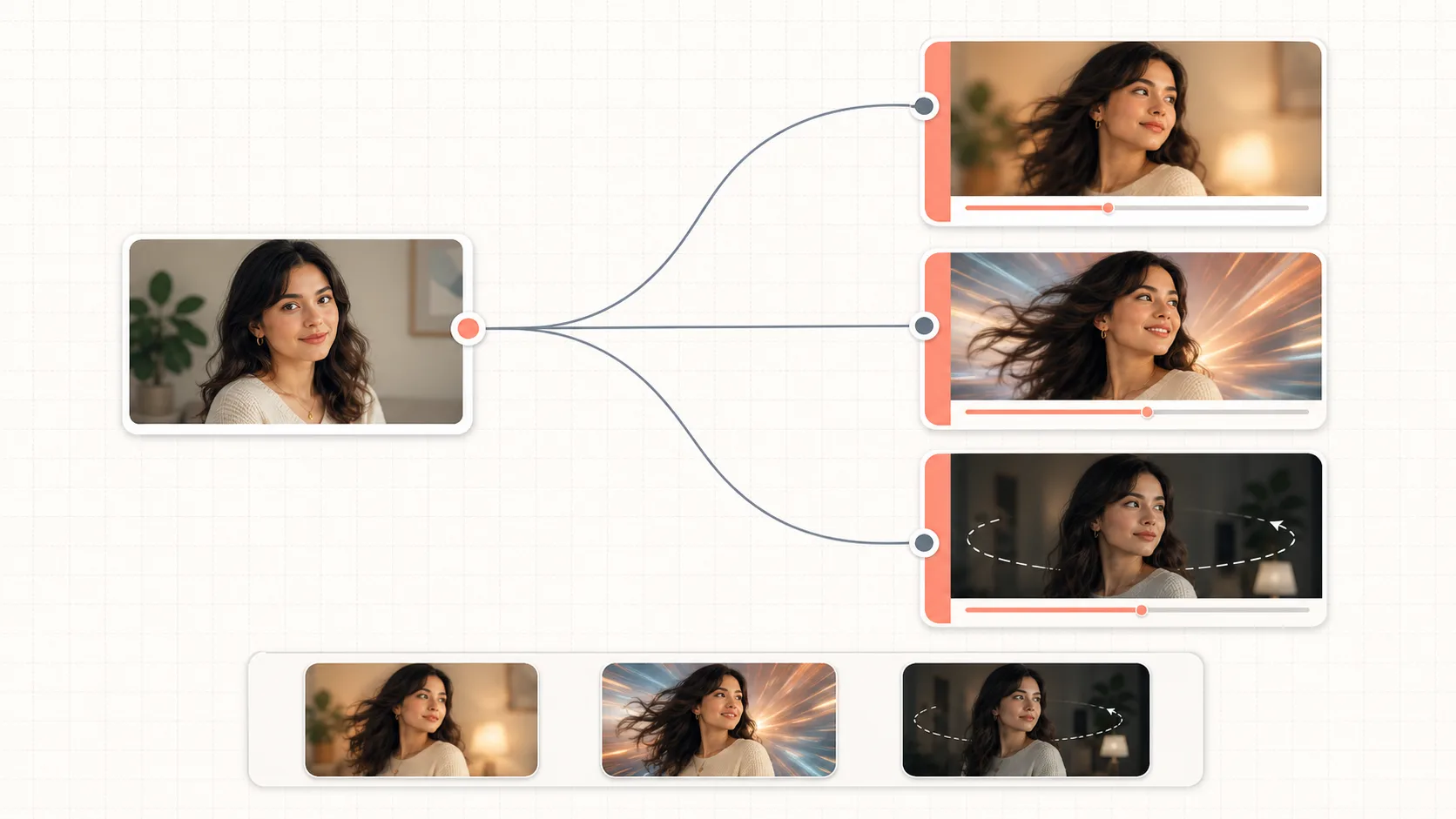
Choose a Model to Get Started
Kling
Kling 3.0
Kling 3.0 is the best model on Martini for animating images that contain people. Its Pro tier generates the most natural facial expressions, body movement, and hair physics of any image-to-video model. Two tiers are available: Standard for fast iteration and Pro for delivery-grade output. The quality gap on human faces is dramatic — Pro handles the micro-expressions (blinking rhythm, mouth corners lifting, subtle head tilts) that make the difference between "obviously AI" and "wait, is that real?" For landscapes and objects without people, Standard is perfectly sufficient.
ByteDance
Seedance 2.0
Seedance 2.0 by ByteDance is optimized for dramatic, high-energy image animations — the kind of dynamic action that Kling 3.0 handles competently but Seedance handles exceptionally. Capes billowing, swords swinging, particles exploding, environmental destruction: Seedance turns these into fluid, cinematic clips. The model offers three tiers: Fast for rapid motion exploration, Standard for publishable quality, and Seedance 2 Pro for maximum detail. It supports 6 aspect ratios including 21:9 ultra-widescreen, and works with both image-to-video and text-to-video. The Omni Pro variant additionally supports video-to-video and reference images for even more control.
Luma
Ray 2
Luma Ray 2 is the specialist for camera-driven image animation on Martini. While Kling 3.0 excels at moving subjects (people, objects), Ray 2 excels at moving the camera — producing smooth dollies, orbits, zooms, and pans that feel like a real cinematographer's work rather than digital effects. It also adds a distinctive filmic quality (natural grain, cinematic color grading) that other models don't replicate. Ray 2 offers three resolution tiers (540p, 720p, 1080p) for 5-second clips, with output detail and render time scaling up at each step. The lighter Ray Flash 2 variant generates at 540p faster than full Ray 2 — useful for testing camera angles before committing to a high-resolution final render.
Frequently Asked Questions
How do I make a still photo move?
Upload the photo to an image-to-video AI model, write a short prompt describing only the motion you want (such as "hair sways in the breeze, slow camera push forward"), and generate a short clip. The AI keeps your exact image and adds natural movement on top. On Martini you do this in a browser by wiring an Image node into a Video node — no GPU or install needed.
How do I animate a still image into a video with AI?
Use image-to-video (img2vid): the model starts from your uploaded picture rather than from text, so the subject and colors stay locked while it generates motion. Pick a model suited to your subject — Kling 3.0 for faces, Seedance 2.0 for action and illustration, Luma Ray 2 for cinematic camera moves — then write a motion-only prompt and render a 5-second clip.
What is the best AI to animate still images?
It depends on the subject. As of 2026, Kling 3.0 Pro is best for human faces and natural micro-expressions, Seedance 2.0 is best for high-energy action and anime or illustration, and Luma Ray 2 is best for cinematic camera movement and depth. On Martini you can fan one image out to all three at once and keep the best result rather than committing to one.
Can I animate a still photo without any video editing skills?
Yes. Animating a still image with AI requires no editing or animation experience — you upload an image, type a one-line motion prompt, and the model generates the movement. The harder craft is writing motion-only prompts (verbs and camera directions, never re-describing the scene), which the guide above covers step by step.
What kind of still image animates best?
Images with implied motion animate far more convincingly: a person mid-stride, wind-blown hair, or a wave about to crash give the model motion to continue, while stiff, symmetrical, formally posed shots force it to invent movement from scratch. If your source is too static, edit it into a more dynamic pose on the canvas before animating.
How long can an AI-animated clip from a still image be?
Most image-to-video models, including Kling 3.0, Seedance 2.0, and Ray 2, render about 5 seconds per clip. For longer sequences, plan the shot as several 5-second clips and assemble them on a timeline — Martini supports NLE/timeline export so you can finish the edit in your own editor.
Is animating a still image the same as text-to-video?
No. Text-to-video generates a clip from words alone, while animating a still image (image-to-video) starts from your exact picture and adds motion on top, preserving the subject, colors, and composition frame to frame. Use image-to-video whenever the look of a specific photo, product, or character must stay intact.